Workflow Alerts
Alerts in workflows are a critical tool for monitoring scheduled and triggered workflows. Infoveave offers Workflow Alerts to notify on critical events, such as delays in execution or unexpected changes in output data. Infoveave provides two main types of alerts: Data Alerts and Execution Time Alerts. Let us explore what these alerts are and how they work.
Data Alerts
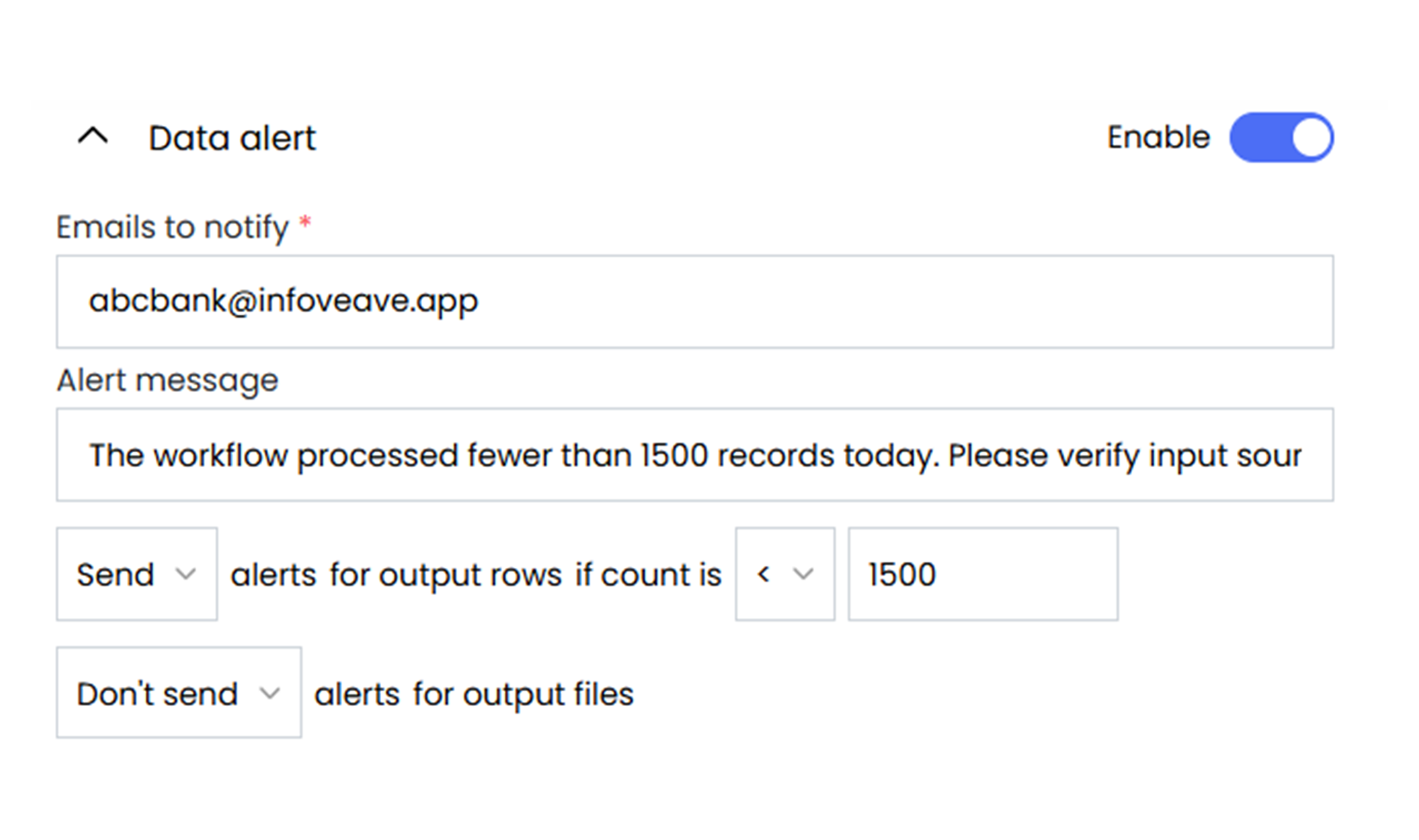
Data Alerts in Infoveave notify users when the workflow output does not meet specific conditions, such as row counts being higher or lower than expected. These alerts ensure users are informed of potential issues in the data, helping teams identify and fix problems quickly.
Infoveave provides configurable conditions like greater than, less than, equal to, or not equal to give to control over how alerts are triggered.
-
Emails to Notify: Select the email addresses of individuals who need to receive the alert.
-
Alert Message: Configure a custom alert message to help clarify the issue for the recipient. It describes what went wrong, enabling teams to act quickly without confusion.
-
Send Alerts for Output Rows: Define the conditions for the row count using the logical operators.
Execution Time Alerts: Absolute Time
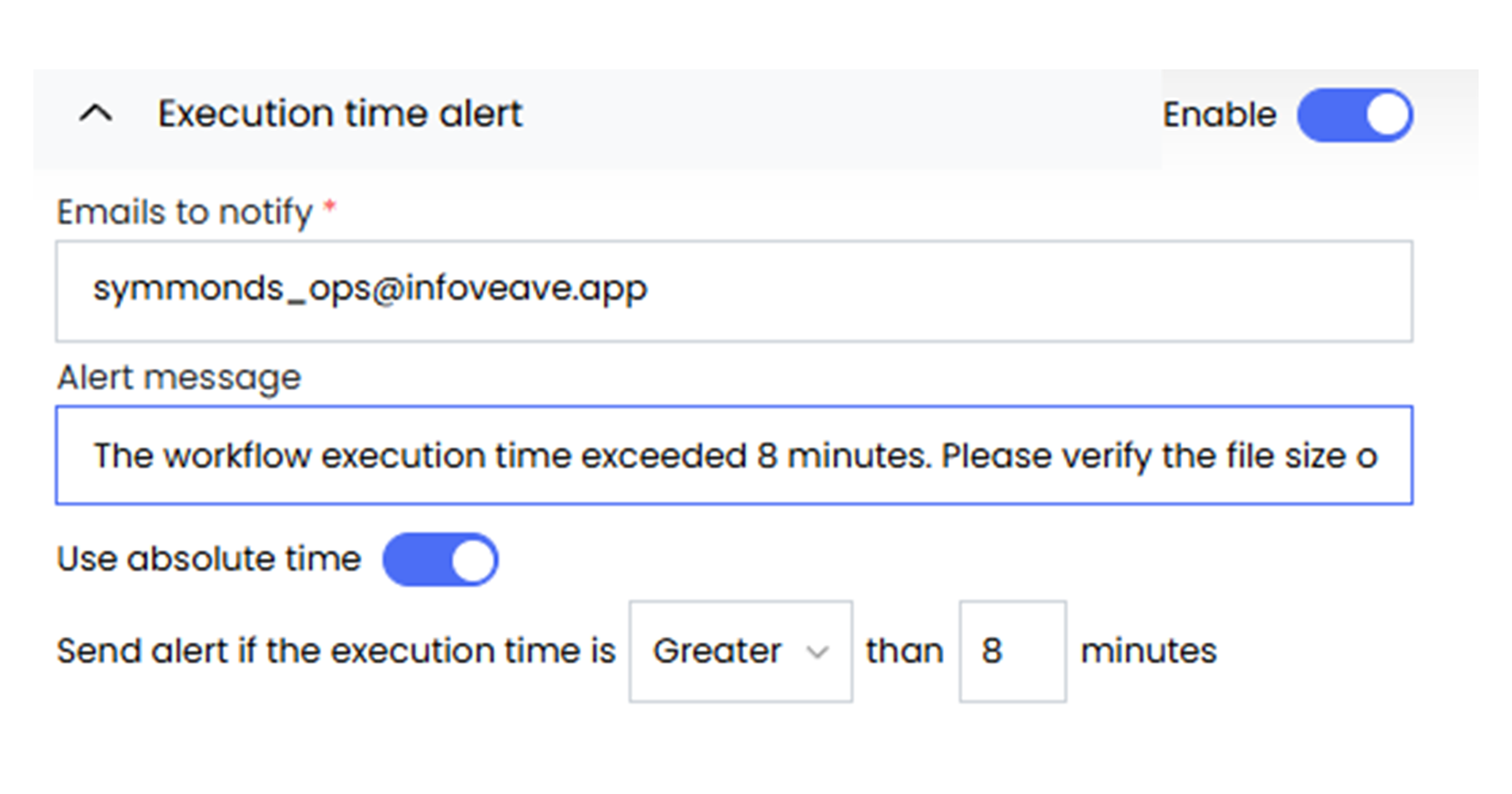
Execution Time Alerts using absolute time in Infoveave send notification alerts when the workflow execution time crosses a predefined threshold. This is particularly useful for monitoring workflows that are expected to complete within a fixed duration. By setting an absolute limit, helps identify performance delays or system issues promptly.
Infoveave provides the following options to configure Absolute Execution Time Alerts:
-
Emails to Notify: Select the email addresses of individuals who need to receive the alert.
-
Alert Message: Configure a custom alert message to help clarify the issue for the recipient. It describes what went wrong, enabling teams to act quickly without confusion.
-
Execution Time Condition: Define the absolute time threshold using logical conditions as Greater than or Lesser than.
Execution Time Alerts: Compare Previous
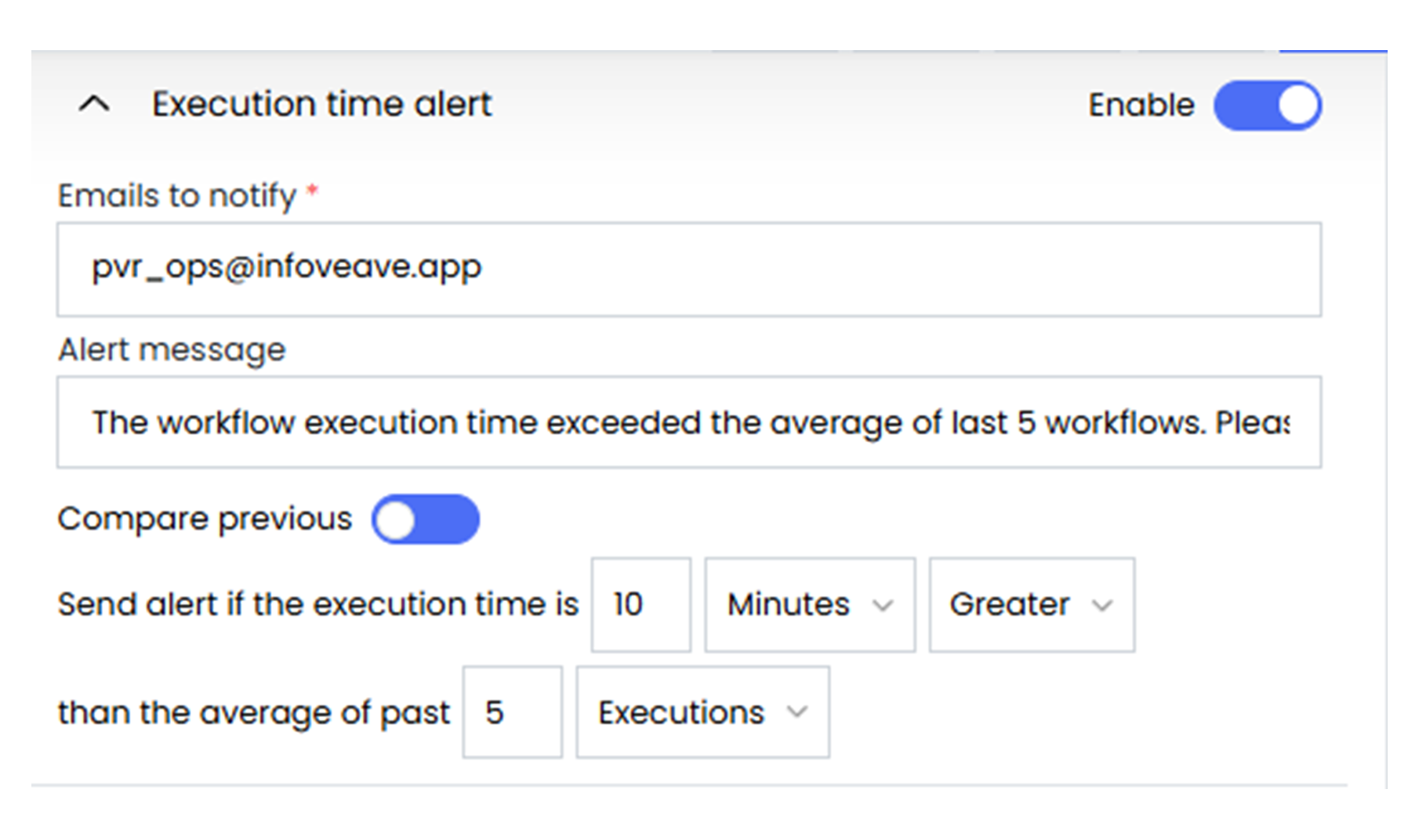
The Compare Previous option for Execution Time Alerts in Infoveave helps to monitor workflow performance by comparing the current execution time with the average of previous runs. If the execution time deviates significantly either by exceeding the time or percentage threshold, an alert is sent.
Infoveave provides the following options to configure Execution Time Alerts based on previous comparisons.
-
Emails to Notify: Select the email addresses of individuals who need to receive the alert.
-
Alert Message: Configure a custom alert message to help clarify the issue for the recipient. It describes what went wrong, enabling teams to act quickly without confusion.
-
Threshold: Set a condition to trigger the alert if the execution time is as:
-
Greater than or Lesser than the average execution time.
-
Set in Minutes or as a Percentage relative to the average of previous runs.
-
-
Comparison Type: Choose how many previous runs to include for comparison:
-
Days: Compare against the average execution time over the past number of days (e.g., 5 days).
-
Executions: Compare against the most recent workflow runs (e.g., last 5 executions).
-