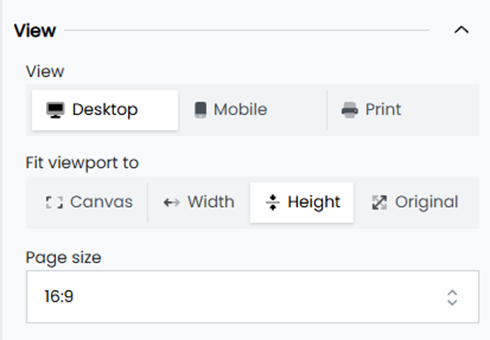
Canvas View
The Canvas View feature in Infoboard Designer offers flexibility in setting the size and layout of dashboards for various platforms, including desktop, mobile, and print. By allowing customization of dimensions and aspect ratios, this feature ensures that dashboards are optimized for the intended audience and purpose.
Key Features of Canvas View
-
Platform-Specific Views allows to tailor dashboards for different platforms:
-
Desktop View: Ensures dashboards are optimized for larger screens with clear visuals.
-
Mobile View: Adjusts layouts to fit smaller screens, ensuring dashboards remain user-friendly and accessible.
-
Print View: Configures the canvas for high-quality print outputs, including options for paper sizes like A4 and A3 in both portrait and landscape orientations.
-
-
Predefined and Custom Dimensions
-
Aspect Ratios: The default canvas size is set to 16:9 for wide-screen displays, with an option to switch to 4:3 for a more square-like layout.
-
Custom Sizes: For unique requirements, users can define specific dimensions by entering width and height values, ensuring dashboards fit any display or print format.
-
-
Fit View Options provides options to adjust the canvas display:
-
Fit to Width: Scales the canvas to fit the width of the screen.
-
Fit to Height: Adjusts the canvas to match the height of the workspace.
-
Original Size: Displays the canvas in its actual dimensions for precise adjustments.
-